My TV used to be the saddest thing in my room. It dominated an entire wall yet spent most of its life powered off. This always made me feel I was wasting its potential. But the good thing with smart TVs is that you’re not limited to streaming movies and TV shows. With the right app, you can use a smart TV for all kinds of weird but useful things.
That’s exactly what I did. I used the projectM Music Visualizer app to make my TV react to whatever music drifted through the room. After this, my TV stopped feeling like a piece of hardware I barely touched.

projectM Music Visualizer TV
projectM Music Visualizer TV is the most advanced music visualizer available for Android and Google TV. It has over 200 visual effects that render at 60 FPS.
I’ve always wanted to use my TV when not streaming
Making my idle TV feel useful again

Ever since I had a little one, my free time for streaming and gaming has pretty much evaporated. My bedroom TV went from being an indispensable gadget to a glossy black rectangle that mostly gathered dust, and it felt like such a missed opportunity.
I kept trying to justify its presence by giving it new jobs. I turned it into a digital photo frame for a while, which was cute but got repetitive fast. I experimented using it as a second monitor, but it didn’t last long. I even used it for casual web browsing, though sitting ten feet away from a giant browser window is more novelty than habit.
All of those little hacks were fine, but none of them made the TV feel alive. I wanted something that turned that idle screen into something I enjoyed looking at, and that’s when I came across the projectM Music Visualizer app.
Turning a TV into live art with projectM Music Visualizer
Bringing my TV to life
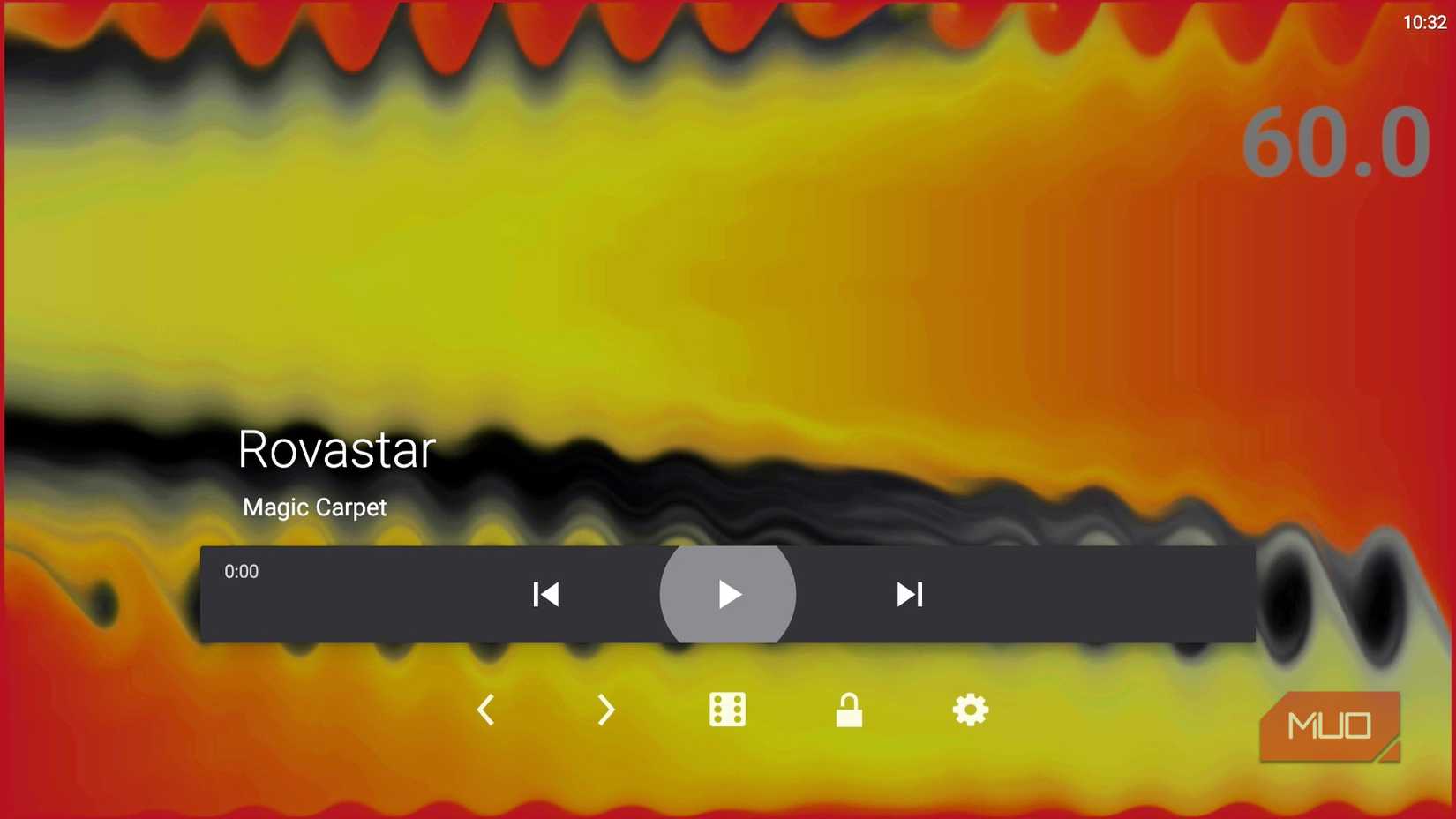
The projectM is an open-source cross-platform music visualization system that’s been around for years. The projectM Music Visualizer app you’ll find on the Google Play Store is based on the same foundation, though it’s created and supported by a different developer.
The projectM Music Visualizer app costs $3.99 (the price can vary slightly based on region). What you get for that one-time purchase is more than 200 different visual effects that twist, pulse, morph, sync, stretch, and explode in rhythm with whatever you’re listening to.
These are all high-quality effects that render at 60 FPS. Once you install the app, it can automatically detect whatever music your TV is playing and visualize it. And if you’re using a different device to play the audio, the app uses your TV’s microphone to analyze the sound.
Diving into the settings gives more options
Customizing visuals to match the mood
With projectM Music Visualizer, the visuals are only half of the fun. The other half lives in its settings menu, where you can fine-tune how the app behaves and how good everything looks.
If you want to squeeze out higher quality visuals, for instance, you can tweak the texture size. Increasing it sharpens the details in each effect at the cost of a little extra processing power.
If bumping the texture size alone doesn’t give you the look you want, you can mess with the mesh size setting. This controls how finely each frame is broken down and reconstructed, which can make complex presets look smoother.
There’s also the option to turn on the FPS counter. It won’t change the experience visually, but there’s something oddly satisfying about seeing how well your TV keeps up with intense presets.
Beyond performance tweaks, the settings menu lets you control how long each visual stays on screen and how quickly the transitions fade between presets.
The app is useful when you’re not listening to music
It doesn’t need a soundtrack to earn its place
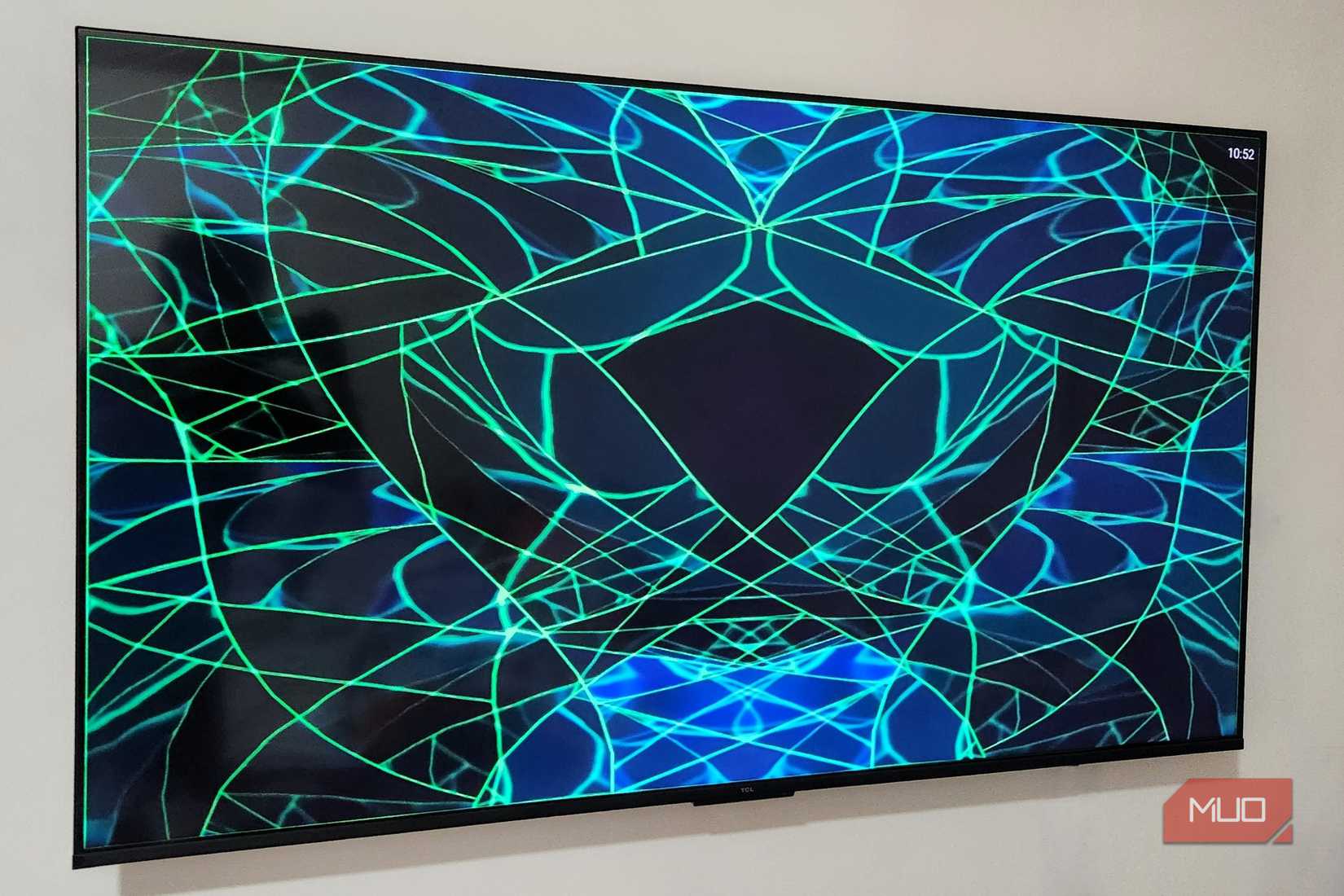
I like using the projectM Music Visualizer even when there’s no music playing. That’s because I can still cycle through the presets and give my room a gentle ambient glow instead of a dead black rectangle.
Some of the visuals resemble drifting nebula clouds, while others resemble geometric sculptures that shift and breathe on their own. It makes my TV feel like a giant digital art piece.

Don’t Throw Away Your Old Smart TV: 8 Ways You Can Reuse It
Your smart TV may be old, but it still has plenty of life left in it.
What about privacy, though?
The big question

Any time an app listens for audio, you can’t help but wonder what else it might be hearing. It’s especially important when the app sits front and center on the biggest screen in your home.
Thankfully, projectM Music Visualizer doesn’t collect any data, and it doesn’t send anything out. Its only job is to interpret the sound around it and turn that into visuals on your TV. If you want to be extra cautious, it’s possible to use the app offline.
The projectM Music Visualizer app does one thing, and it does it extremely well. If you have a smart TV that spends more time asleep than awake, this might be the easiest upgrade you can give it.